
Want to find out when a drug was approved by the FDA? Or check if a generic version is officially authorized? Maybe you need the full prescribing label for a medication your doctor prescribed? The Drugs@FDA database is the most direct, official source for this information - and you don’t need a special account or fee to use it. It’s free, public, and updated every single day. But if you’ve tried searching it before and got confusing or incomplete results, you’re not alone. Most people stumble because they use the wrong search method or expect the database to work like Google.
What Is Drugs@FDA and Why Does It Matter?
Drugs@FDA is the U.S. Food and Drug Administration’s official online database for approved human drugs. It holds records for nearly every prescription and over-the-counter medication approved since 1939. That means if a drug is legally sold in the U.S., its approval history, labeling, review documents, and even letters between the FDA and the drug company are stored here.
Unlike general drug info sites or pharmaceutical company pages, Drugs@FDA gives you the raw regulatory documents - the same ones FDA staff use to make decisions. This isn’t marketing material. It’s the real thing: the full prescribing information (label), patient medication guides, clinical review summaries, and approval letters. For pharmacists, doctors, researchers, or even patients who want to understand exactly what the FDA approved, this is the gold standard.
It’s not just for professionals. A patient wondering why their new prescription costs more than the last one might find out it’s a brand-new approval, not a generic. A caregiver checking a medication’s side effects can pull the official label to see all documented risks. A student writing a paper on drug development can trace the approval timeline back decades.
How to Search Drugs@FDA: Three Ways to Find What You Need
The homepage of Drugs@FDA has one big search box - that’s where most people start. But here’s the catch: there are three different ways to search, and each one gives different results. You need to pick the right one for what you’re looking for.
- Search by Drug Name (Brand or Generic): Type in the brand name like Zestril or the generic name like lisinopril into the main search box. The system will return all products with that name in the title, including combination drugs. For example, searching for lisinopril will show you Zestril, Prinivil, Qbrelis, and also Zestoretic (which combines lisinopril with hydrochlorothiazide). This is the most useful method for most users.
- Search by Active Ingredient: If you’re looking for all drugs that contain a specific chemical, enter the ingredient name. This works well if you’re comparing different brands or checking for alternatives. But remember - this search will not show you combination products unless you type the full ingredient list.
- Search by Application Number: Every approved drug has a unique number: NDA for new drugs, ANDA for generics, or BLA for biologics. If you have this number (often found on FDA letters or in research papers), typing it in will take you straight to the full approval package. This is how professionals often dig deep into approval history.
Don’t use the A-Z Drug Name index unless you’re looking for a specific brand name and you’re sure it’s listed exactly as written. That tool is limited - it won’t show you generics, combination products, or even alternate spellings. For example, searching for LISINOPRIL in the A-Z list won’t return Zestril or any other brand name. It only returns drugs whose official name matches the exact string. Stick to the main search box.
What You’ll See in the Results
After you search, you’ll get a list of matching drugs. Each entry shows:
- Brand name (if any)
- Generic name (active ingredient)
- Manufacturer
- Approval date
- Application number (NDA, ANDA, or BLA)
- Therapeutic equivalence code (for generics - important if you’re checking if a generic is FDA-approved as equivalent)
Click on any drug to open its full record. Here’s where the real value kicks in. You’ll see:
- Labeling (Prescribing Information): The full FDA-approved drug label - including indications, dosing, warnings, side effects, and clinical studies. This is the same document doctors and pharmacists use.
- Patient Medication Guides: Plain-language instructions given to patients when they pick up the prescription.
- Review Documents: Summaries from FDA medical reviewers who evaluated the drug’s safety and effectiveness. These explain why the drug was approved - and sometimes what concerns were raised.
- Approval Letters: Official letters from the FDA to the company granting approval.
- Correspondence: Letters between the FDA and the manufacturer during the review process.
For drugs approved after 1998, nearly all of this is available. For older drugs (pre-1998), you’ll usually only see the label and approval date. The FDA didn’t digitize everything from before then.
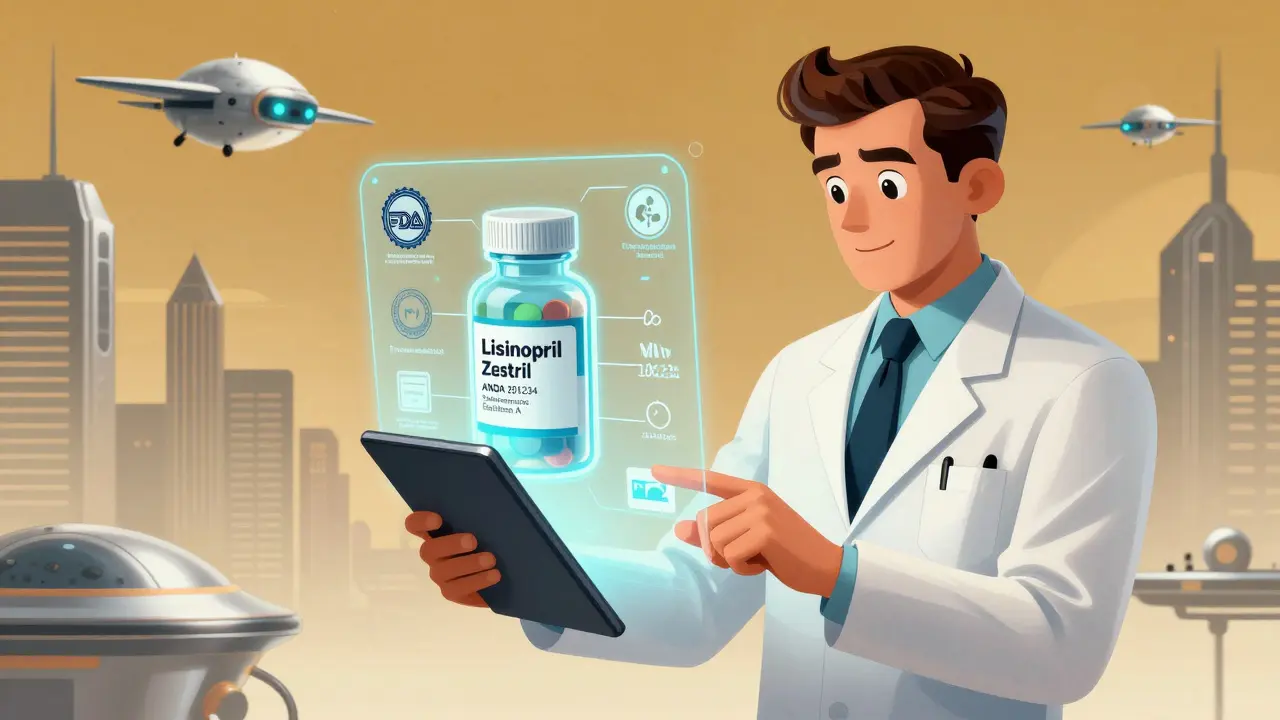
Drugs@FDA vs. Other FDA Databases: Know the Difference
It’s easy to get confused because the FDA has several drug databases. Here’s how Drugs@FDA stacks up against the others:
| Database | What It Covers | Best For |
|---|---|---|
| Drugs@FDA | All approved human drugs since 1939. Includes brand and generic names, approval history, labels, reviews. | Finding approval dates, accessing full regulatory documents, understanding a drug’s history. |
| FDALabel | Full-text searchable drug labels only. Over 150,000 documents. | Searching for specific sections like BOXED WARNINGS, ADVERSE REACTIONS, or DRUG INTERACTIONS. |
| Electronic Orange Book | Therapeutic equivalence ratings, patents, and exclusivity for generic drugs. | Checking if a generic is approved as equivalent, seeing patent expiration dates. |
| Purple Book | Biological products only - like insulin, vaccines, and monoclonal antibodies. | Looking up biosimilars or biologic drugs. |
Think of Drugs@FDA as your starting point. Once you find the drug, you might need to jump to FDALabel if you want to search for a specific warning, or to the Orange Book if you’re comparing generic versions. But for the full story - who made it, when it got approved, what the FDA reviewed - Drugs@FDA is the only place you’ll find it all in one place.
Common Mistakes and How to Avoid Them
Even experienced users make these mistakes:
- Using the A-Z index instead of the main search. This is the #1 error. The A-Z list is outdated and incomplete. Always use the search box.
- Searching for combination drugs by one ingredient. If you’re looking for Zestoretic (lisinopril + HCTZ), search for the brand name or both ingredients together. Searching just for “lisinopril” won’t show Zestoretic.
- Assuming all drugs have full documents. Drugs approved before 1998 often only have labels. Don’t expect review letters or correspondence for older drugs.
- Confusing generic names with brand names. If you’re unsure if a drug has a brand name, search the generic name - it will pull up all versions.
- Not checking the application number. Two drugs can have the same name but different approval histories. The application number tells you which version you’re looking at.
Pro tip: If you’re unsure what you’re seeing, look at the “Application Number.” NDA means it’s a brand-new drug. ANDA means it’s a generic. BLA means it’s a biologic. This tells you the approval pathway and helps you understand the context.
Who Uses Drugs@FDA - And Why
This isn’t just a tool for regulators. Here’s how different people use it:
- Pharmacists: Verify if a drug is approved, check for generic equivalents, confirm dosing instructions before dispensing.
- Doctors: Review side effect profiles, see clinical trial data, check approval dates for new medications.
- Researchers: Track approval timelines for systematic reviews, compare drug development across companies.
- Patient Advocates: Find out why a drug was withdrawn or restricted, understand safety warnings.
- Patients: Look up their own prescriptions, check for recalls, understand why a generic switched brands.
One pharmacist described it this way: “I used to call the FDA every week asking when a drug was approved. Now I just open Drugs@FDA. It saves me 20 minutes a day - and gives me the right answer every time.”
What’s Not in Drugs@FDA
It’s just as important to know what this database doesn’t include:
- Animal drugs. Those are in Animal Drugs@FDA - a separate database.
- Drug pricing. No prices here. That’s not regulated by the FDA.
- Real-world safety reports. Adverse events are tracked in FAERS (FDA Adverse Event Reporting System), not Drugs@FDA.
- Drug shortages. Those are listed on the FDA’s Drug Shortages page.
- Unapproved drugs. Only FDA-approved products are included.
If you’re looking for something outside this scope, the FDA has other tools. But for official approval records, labeling, and regulatory history - Drugs@FDA is the only source.
Final Tips for Getting the Most Out of Drugs@FDA
- Always use the main search box - never the A-Z index.
- Search by generic name first - it’s the most reliable way to find all versions of a drug.
- Click through to the full record to see review documents - that’s where the real insight is.
- Use the application number to confirm you’re looking at the right version.
- Bookmark the page: www.fda.gov/drugsatfda
- Combine it with FDALabel for deep label searches, or the Orange Book for generic equivalence.
Drugs@FDA isn’t flashy. It doesn’t have fancy filters or AI suggestions. But it’s accurate, complete, and free. And in a world full of misleading health info, that’s rare. Mastering it means you’re not relying on rumors or websites with ads - you’re going straight to the source.
Is Drugs@FDA free to use?
Yes, Drugs@FDA is completely free and open to the public. No registration, login, or payment is required. You can access it from any device with a web browser.
Can I find generic drugs in Drugs@FDA?
Yes. All approved generic drugs are listed in Drugs@FDA under their active ingredient name. Each entry includes an application number (ANDA) and a therapeutic equivalence code that tells you if it’s rated as equivalent to the brand-name version.
Why can’t I find my drug in Drugs@FDA?
If your drug isn’t there, it may not be FDA-approved. Some products sold in the U.S. - like dietary supplements, homeopathic remedies, or compounded drugs - are not regulated by the FDA and won’t appear. Also, animal drugs are in a separate database. If it’s a human prescription or OTC drug, double-check the spelling and try searching by active ingredient instead of brand name.
Are the documents in Drugs@FDA up to date?
Yes. The database is updated daily with new approvals, label changes, and safety updates. If a drug’s prescribing information was revised last week, you’ll see the updated version in Drugs@FDA within 24 hours.
How far back does Drugs@FDA go?
Drugs@FDA contains records for drugs approved since 1939. However, detailed documents like review letters and clinical summaries are only available for drugs approved after 1998. For older drugs, you’ll typically only see the label and approval date.
Next Steps: What to Do After You Find the Info
Once you’ve found what you need, here’s what to do next:
- If you’re a patient, print or save the label and bring it to your next doctor’s visit. It helps you ask better questions.
- If you’re a pharmacist, cross-check the therapeutic equivalence code with your pharmacy system to ensure you’re dispensing the correct generic.
- If you’re a researcher, cite the Drugs@FDA record as your source - it’s authoritative and traceable.
- If you’re curious about why a drug was approved or rejected, read the FDA’s review summary. It often explains the trade-offs the agency made.
Drugs@FDA doesn’t answer every question - but it answers the most important ones. And in a world full of noise, that’s worth knowing.

Jane Wei
December 15, 2025 AT 20:19Just used this for my mom’s blood pressure med - found the exact label in 30 seconds. Game changer.
Radhika M
December 17, 2025 AT 16:51This is so useful for Indian patients too! Many of us get meds imported and have no idea if they're FDA-approved. Thanks for explaining the ANDA vs NDA - finally made sense.
Josh Potter
December 18, 2025 AT 05:21OMG I’ve been using the A-Z list for YEARS and thought I was doing it right. Bro this post just saved me from a medical disaster. THANK YOU.
Naomi Lopez
December 18, 2025 AT 14:32It’s fascinating how such a profoundly useful tool remains buried under layers of bureaucratic UI design. Truly, the FDA’s commitment to public access is only matched by its indifference to user experience. Still - it’s the only source that matters.
Meghan O'Shaughnessy
December 20, 2025 AT 05:06I’ve been teaching this to med students at my hospital. The Orange Book + Drugs@FDA combo is like having a time machine for drug history. If you’re writing a paper or just curious, this is your starting point - no exceptions.
Steven Lavoie
December 22, 2025 AT 01:46As someone who works in global health policy, I can’t stress enough how rare it is to have such transparent regulatory data freely available. In many countries, this level of access doesn’t exist. The FDA’s Drugs@FDA isn’t just a database - it’s a model for public accountability in pharmaceutical regulation.
Salome Perez
December 22, 2025 AT 01:55Let me just say - this is the kind of resource that makes me proud to be American. The fact that the government maintains this level of transparency, for free, with daily updates? That’s not just good design - it’s civic virtue. Most countries would kill for this kind of openness. And yet, here it is, waiting for anyone with a browser. I wish more people knew about it.
Philippa Skiadopoulou
December 22, 2025 AT 17:27For non-US users, remember that therapeutic equivalence codes (like AB ratings) are specific to the FDA system. Other countries have their own equivalents, but Drugs@FDA remains the gold standard for US-approved products. Always verify the application number - it’s your anchor to authenticity.
Pawan Chaudhary
December 23, 2025 AT 08:34Just showed this to my cousin in Delhi - she was worried her diabetes med wasn’t legit. We checked it together and found the FDA approval. She cried. Seriously. This tool saves lives, not just time.
Kaylee Esdale
December 23, 2025 AT 22:59Used this yesterday to check why my generic was cheaper this month. Found the ANDA, saw the approval date was new - turned out the manufacturer just got approval. No scam, just competition. Simple, clear, real. That’s the power of going straight to the source.
Victoria Rogers
December 24, 2025 AT 10:55Yeah sure, it’s free. But why does it still look like it was coded in 2003? This is 2025. The FDA has billions. They can’t even give us a search filter? This isn’t transparency - it’s negligence dressed up as a public service.